
Knowledge base themes
Three layouts for your knowledge base home
Pick Grid, List or Sidebar for the whole site, then change it for any single knowledge base.
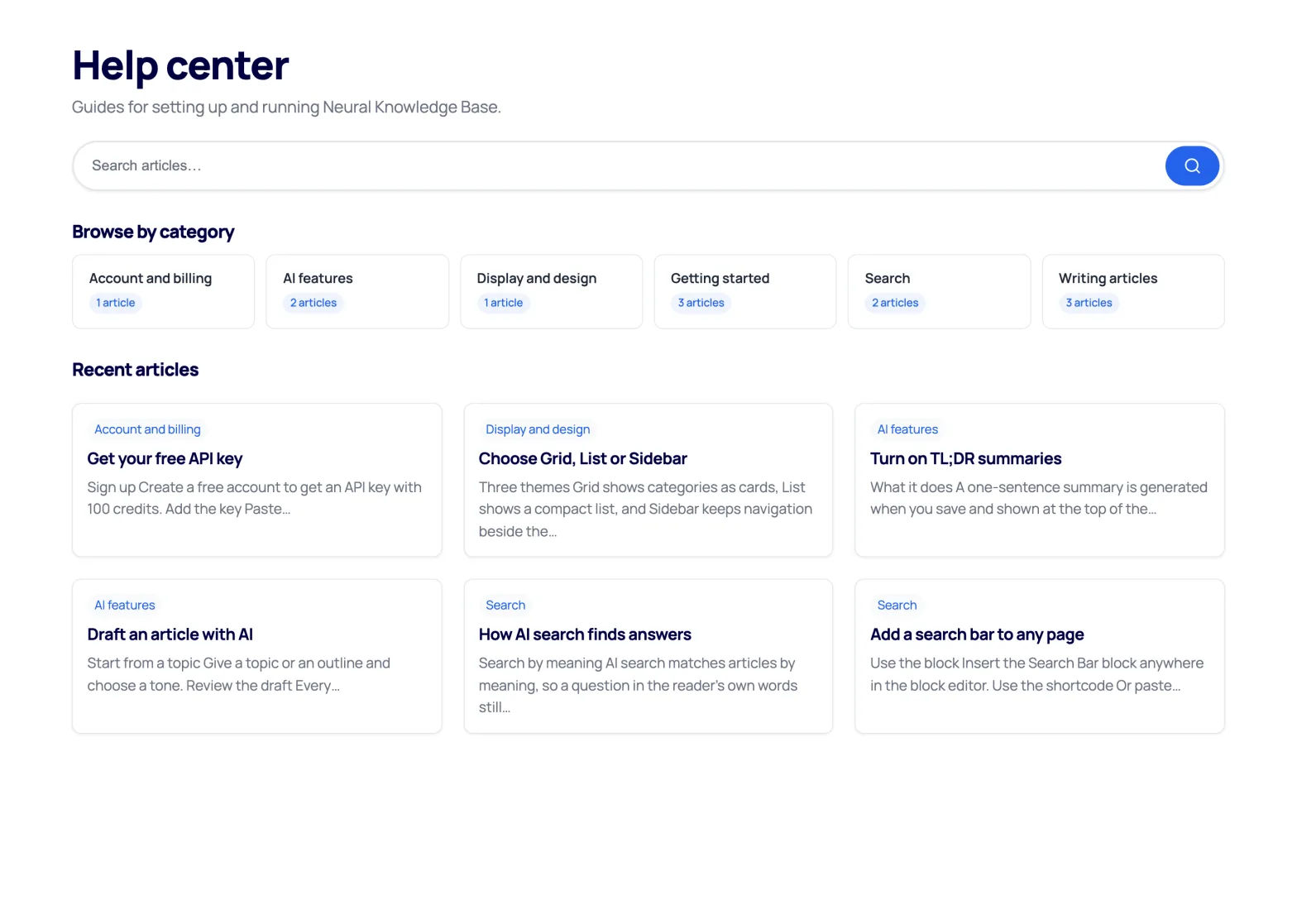
The layouts
Choose the one that fits your content
Each layout loads its own stylesheet on knowledge base pages only.
Grid
Category cards in columns. Good when readers browse by topic first.
List
Articles in a single column under each category. Good for shorter knowledge bases.
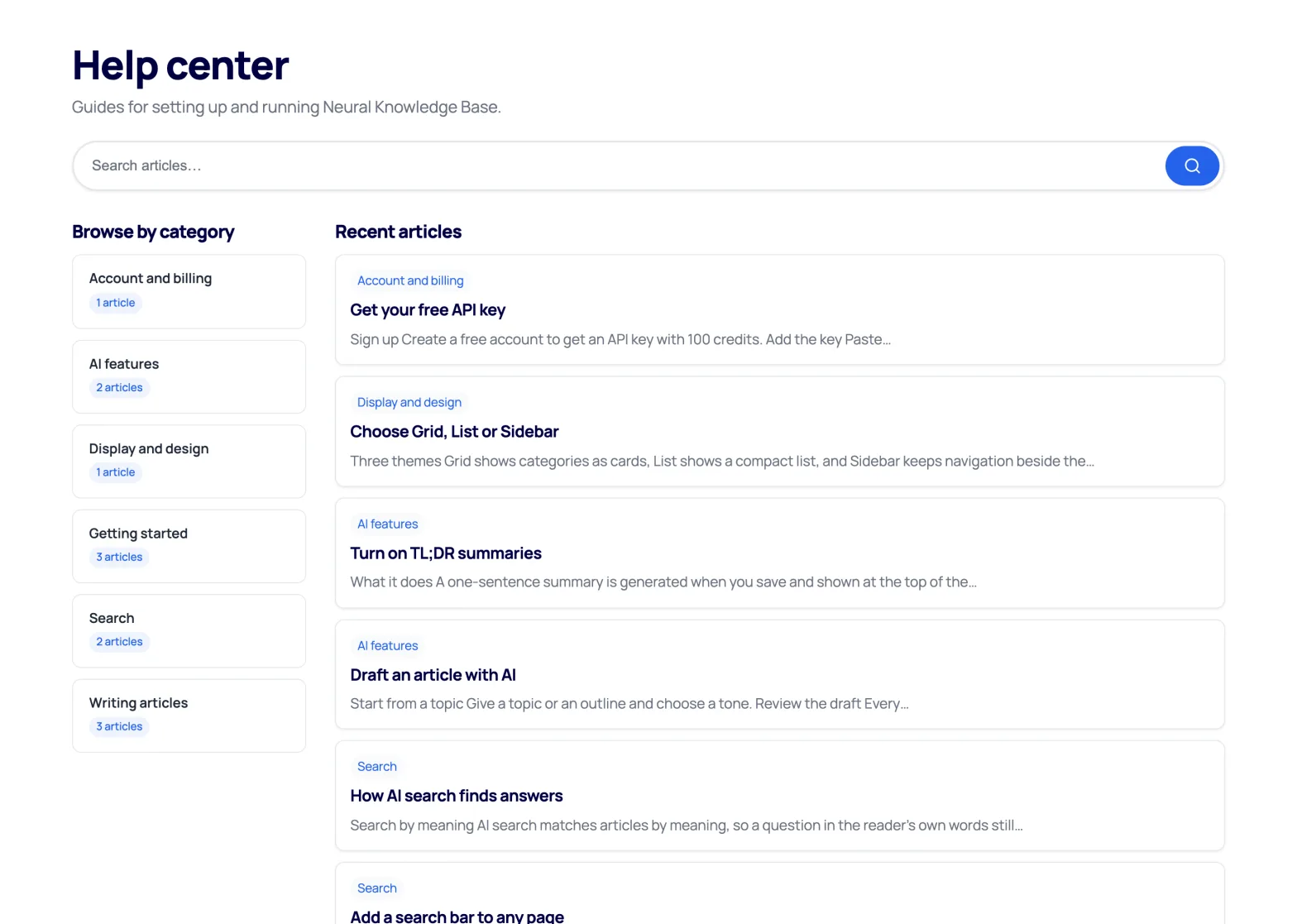
Sidebar
Categories down the side, content on the right. The familiar docs layout.
Per knowledge base
A different layout for each audience
Set a site default in the settings, then override it from the knowledge base list. Your developer docs can use Sidebar while the customer help center stays on Grid.
- Site-wide default: Grid
- Per knowledge base override
- Template overrides from your theme’s neuralkb folder
Related features
Layouts work with everything else
FAQs
Frequently asked questions
Can I use my own design?
Yes. Copy any template from the plugin into a neuralkb folder in your theme and edit it there. Plugin updates will not overwrite it.
Does the layout affect the rest of my site?
No. The layout styles load on knowledge base pages only.
Can each knowledge base have its own layout?
Yes. Set a default for the site and override it per knowledge base. More than one knowledge base needs Starter ($99/year) or Agency ($199/year).
Neural Knowledge Base
Pick a layout and publish
The free plugin includes all three layouts.