
Knowledge base plugin for WordPress
A help center your readers can search, built inside WordPress
Write articles, sort them into categories, and let readers find answers with live keyword search and AI search that understands meaning. Start free, no account needed.
What you get
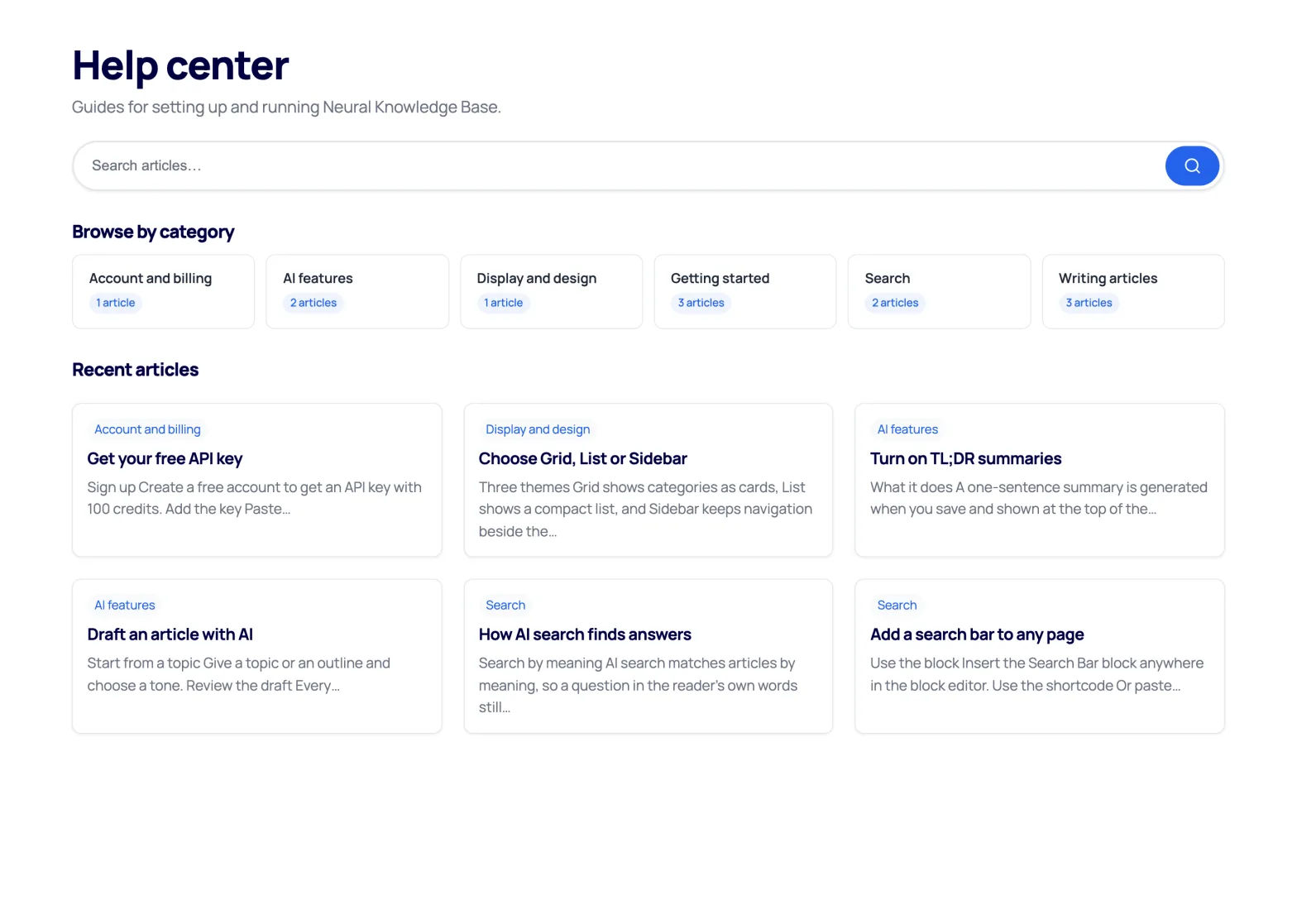
Three jobs, one plugin
Organize your articles, help readers find them, and let AI do the first draft.
Organize
Articles, categories and tags in a knowledge base, shown in a Grid, List or Sidebar layout.
Learn moreSearch
Live results as readers type, then AI search on Enter for questions phrased in their own words.
Learn moreWrite
AI drafts an article from a topic and adds a one-sentence TL;DR to every published article.
Learn moreLive search
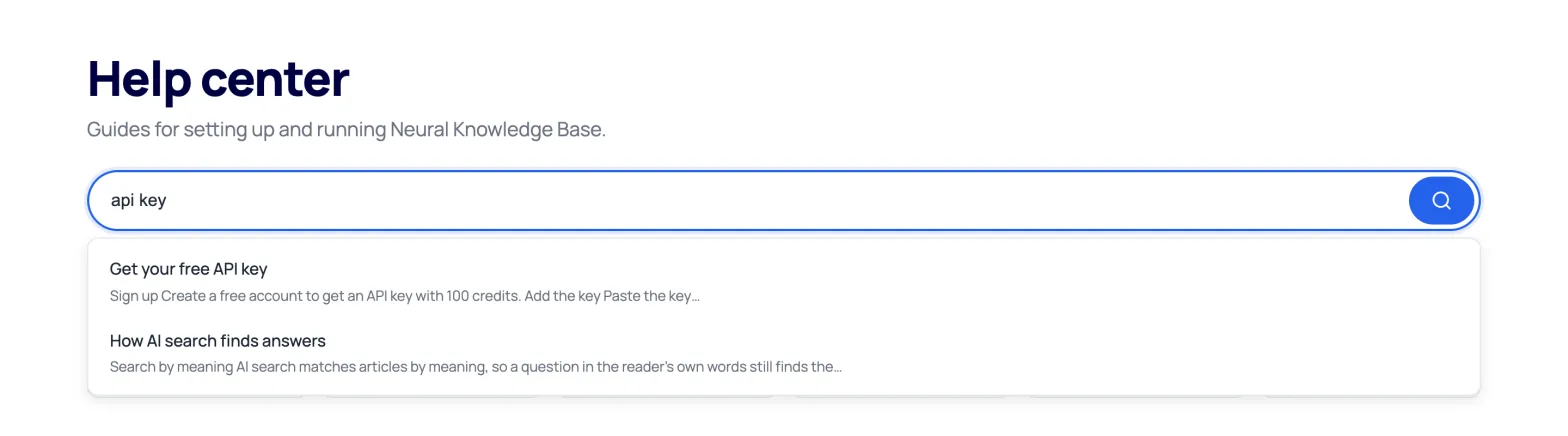
Answers under the search box before readers press Enter
Keyword results appear after two characters. Press Enter and AI search looks for articles that match the meaning of the question, then falls back to keyword results if nothing scores high enough.
- Search bar block and shortcode for any page
- Every search is logged, including the ones with no results
- AI search is free with 100 credits on signup
Articles
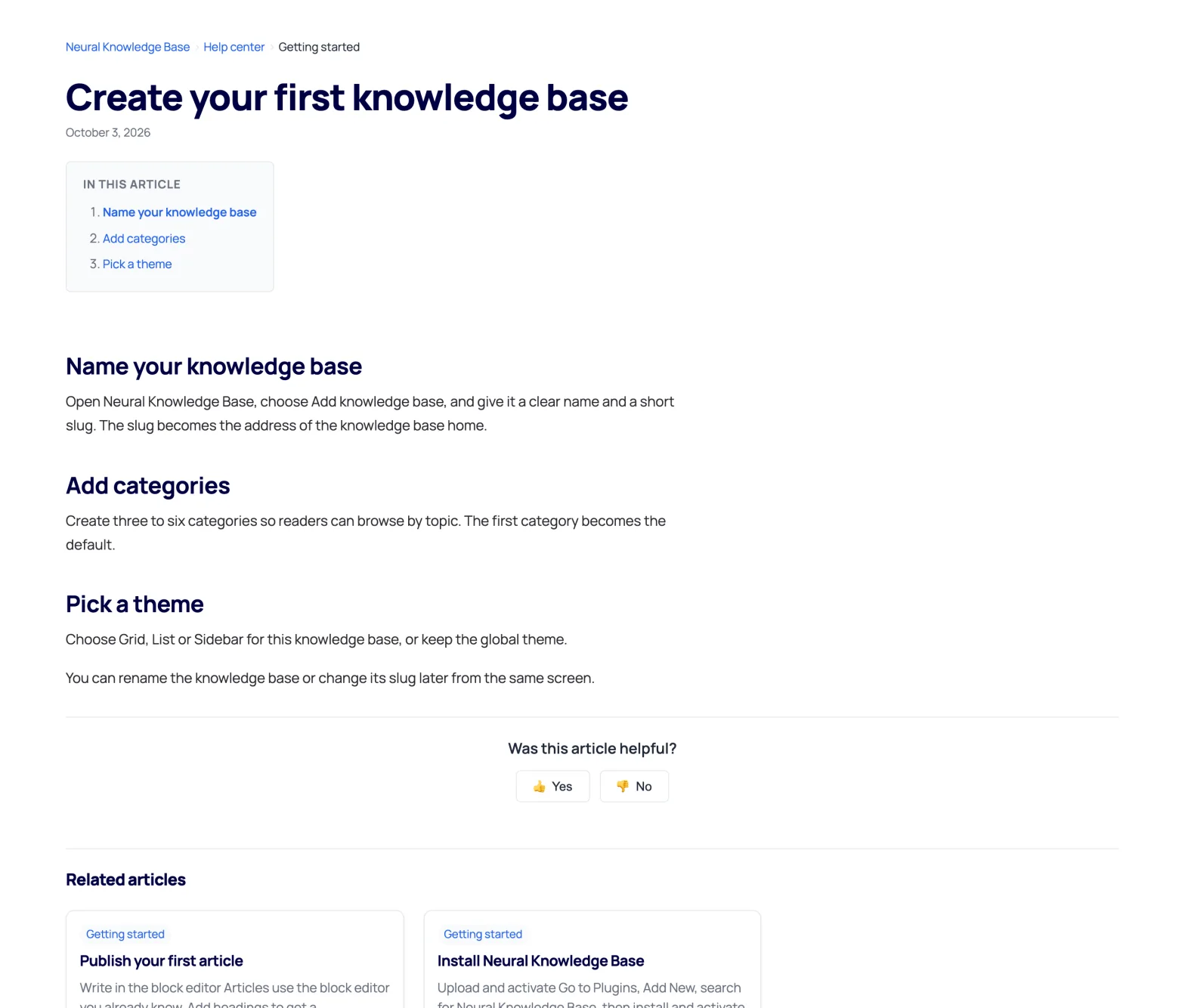
Every article ships with the parts readers look for
A table of contents from your headings, breadcrumbs, related articles from the same category and a helpful vote at the end. You write the content, the template handles the rest.
- Table of contents with the current section highlighted
- Breadcrumbs with BreadcrumbList schema
- Up to three related articles
- Helpful and not helpful votes
AI on the free plan
Sign up for a free key and AI is on
100 AI credits come with the free key. Everything else works without one.
AI search
Matches questions to articles by meaning, with a relevance threshold you can tune.
Learn moreTL;DR summaries
A one-sentence summary written when you publish, and again only when the text changes.
Learn moreAI version history
Every draft and summary is saved as a numbered version you can compare, pin and restore.
Learn moreAnalytics
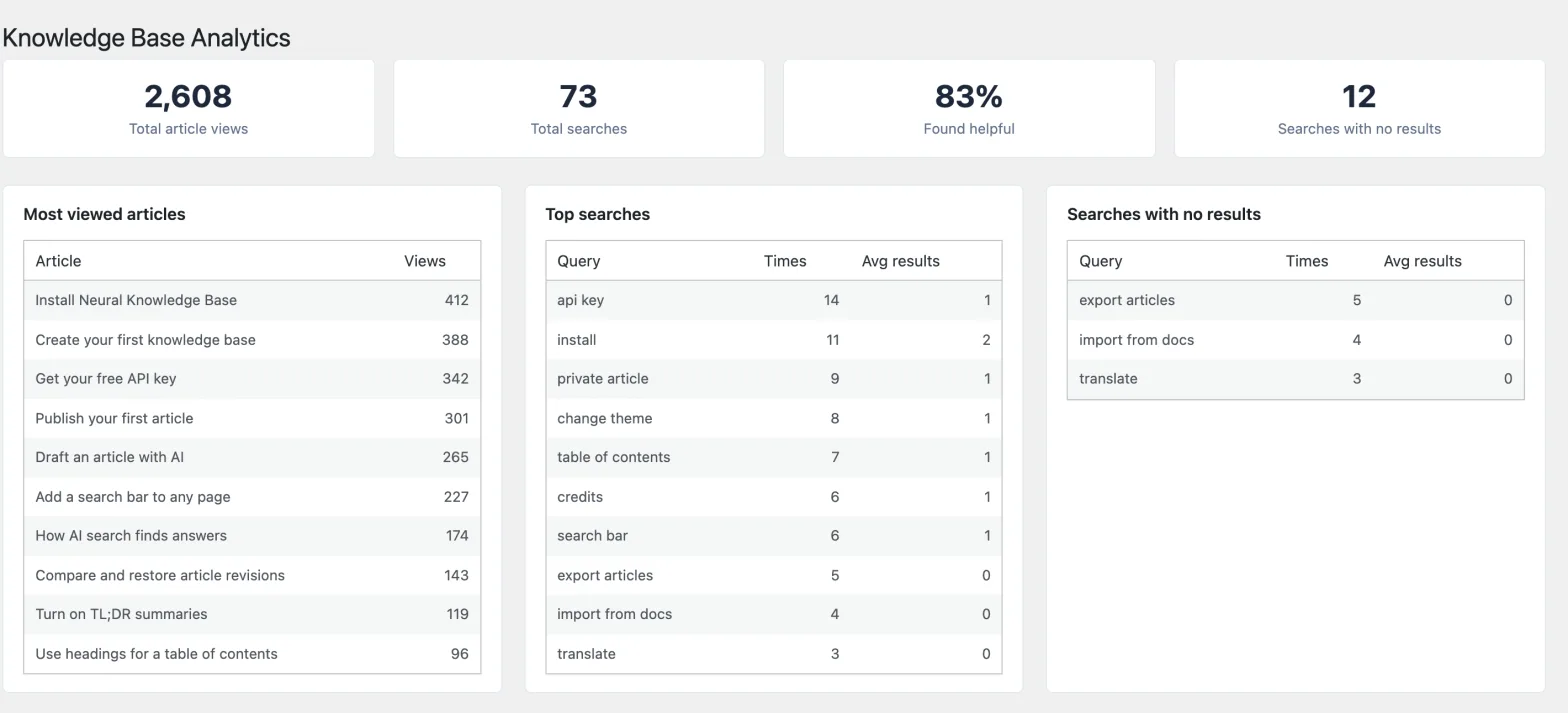
See what readers search for and do not find
The analytics page lists your most viewed articles, top searches, searches with no results and the helpful score of each article. Zero-result searches are your list of articles to write next.
- Views, searches and feedback stored on your own site
- Filter by knowledge base
Paid plans
More for teams that run support from their docs
Starter ($99/year) and Agency ($199/year) add these to the free plugin.
AI chatbot
A floating chat on knowledge base pages that answers from your own articles. Chats stay in the visitor’s browser.
Learn moreReadability analyzer
A score, a grade and a list of what to improve, in the editor sidebar.
Learn moreAuto-tagging
Tag suggestions from the article text. Nothing is applied until you click it.
Learn moreMultiple knowledge bases
One knowledge base per product, team or audience, each with its own layout.
Learn moreHow it works
From install to a searchable help center
Install the free plugin
Activate it and create your knowledge base. No account or key needed.
Add articles
Write in the block editor, or let AI draft the first version from a topic.
Pick a layout
Choose Grid, List or Sidebar, and drop the search bar block on any page.
Turn on AI
Add a free API key for AI search, drafts and TL;DR summaries.
Use cases
Built for the docs you already need
One plugin, four common setups.
FAQs
Frequently asked questions
Do I need an API key?
No. Articles, categories, layouts, live keyword search, version history, feedback and analytics work without a key or an account. A free key adds AI search, AI drafts and TL;DR summaries with 100 credits.
Does the plugin send data anywhere without a key?
No. Without a key it makes no external requests. With a key, only the content needed for the AI feature you use is sent to the Neural KB cloud API.
What happens when credits run out?
AI features pause. Articles, search, layouts and version history keep working.
Will it work with my theme?
The plugin loads its own templates and styles on knowledge base pages only. You can override any template by copying it into a neuralkb folder in your theme.
Does it work with my SEO plugin?
Yes. When Yoast SEO, Rank Math, SEOPress, All in One SEO or The SEO Framework is active, Neural KB leaves meta tags and canonical URLs to that plugin.
Neural Knowledge Base
Start your knowledge base today
Download the free plugin, then add a free key when you want AI.