
Live search
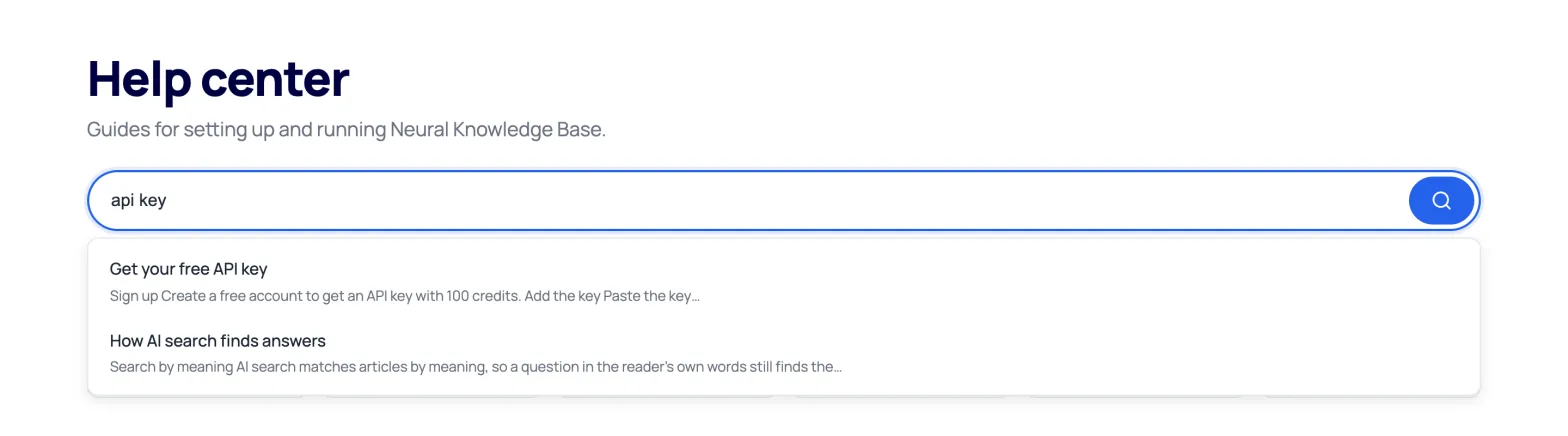
Readers see results while they are still typing
Keyword results appear under the box after two characters, without a page reload. Press Enter to run AI search.
How it works
Search that keeps up with the reader
Fast keyword matching on your own server, with AI on submit when a key is connected.
As-you-type results
A short pause after each keystroke, then matching articles drop down under the box.
AI search on Enter
With a key, pressing Enter searches by meaning. No match, and keyword results show instead.
Learn moreSearch bar anywhere
Place it with the Search Bar block or the [neuralkb_search] shortcode.
Learn moreWhy it matters
Fewer tickets about questions you already answered
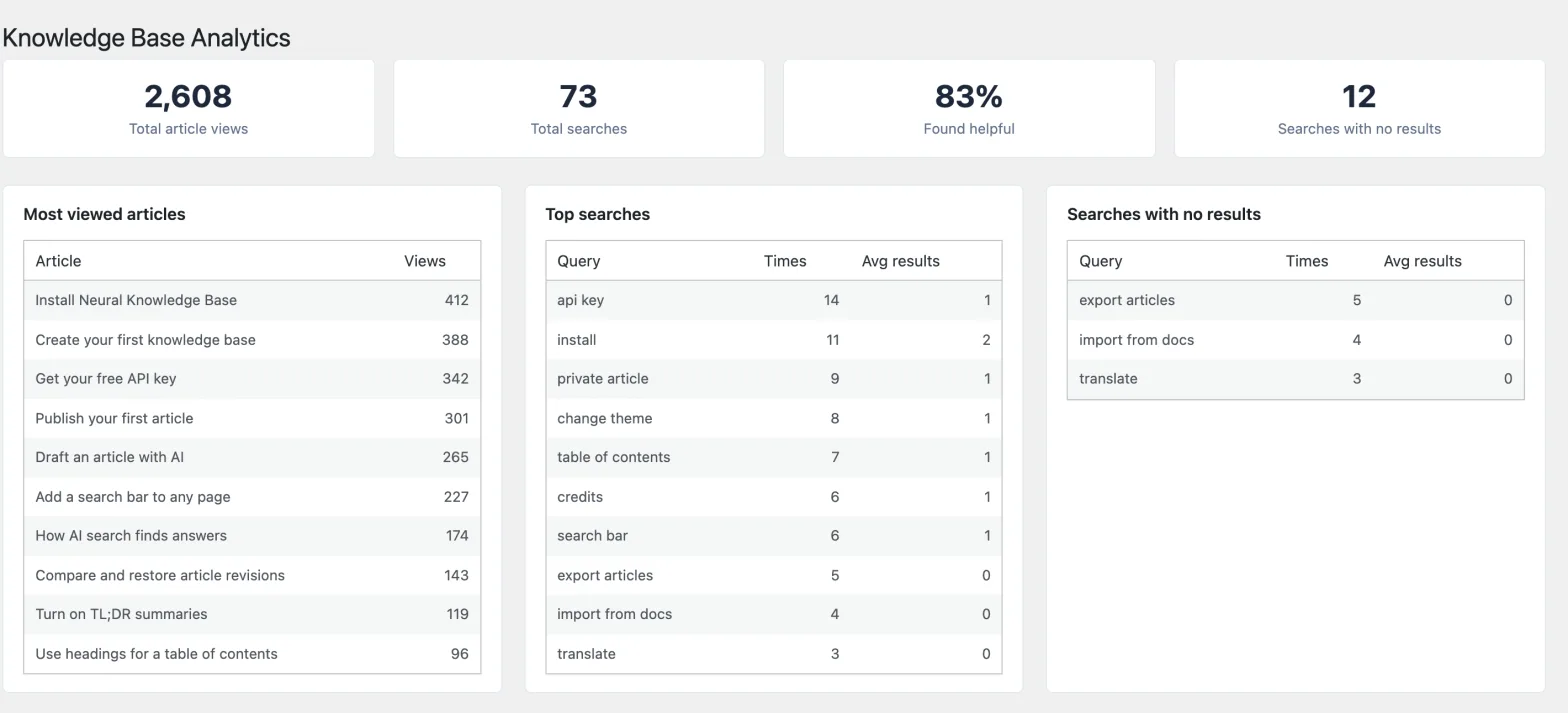
Most readers search before they contact you. When the right article shows up under the box, they read it and leave with the answer. When it does not, the query lands in your list of searches with no results.
- Runs locally, no cloud calls while typing
- Scoped to one knowledge base at a time
FAQs
Frequently asked questions
Does live search need an API key?
No. Keyword search runs on your own site with no key. AI search on Enter uses a free key.
Can I put the search bar on my homepage?
Yes. Use the Search Bar block or the [neuralkb_search] shortcode on any page.
Where do I see what people searched?
On the Analytics page: top searches and searches that returned nothing.
Neural Knowledge Base
Add search to your docs
Live search is part of the free plugin.